
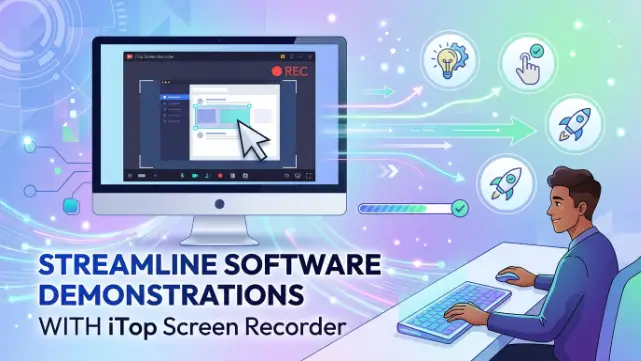
Shows are vital in customer service, product promotion, employee training, and online learning. Businesses and individuals can clearly explain features through visual demonstrations instead of lengthy written instructions. iTop Screen Recorder makes it easy to record all actions on your screen, producing professional software demos that are both informative and entertaining.
Showcase Features with Precision
Viewers need to see all clicks, menus, and settings during software demonstrations. Poor-quality recordings can make the interface hard to read and weaken the presentation’s effectiveness.
iTop Screen Recorder uses HD video recording to help users showcase software functions with high-quality visuals. This way, audiences can easily follow along without confusion.
Simplify Product Presentations
When introducing a new application or digital service, explaining how it works is often necessary. A demonstration gives potential customers a chance to explore the software’s functionality before deciding.
iTop Screen Recorder allows companies to create polished product walkthroughs, highlighting key features, user interfaces, and real-life applications. These videos educate customers about the product and reduce lengthy explanations.
Improve Customer Support
Support teams frequently receive the same questions from different users. They can create video tutorials to visually demonstrate solutions instead of writing out detailed instructions every time.
iTop Screen Recorder can record troubleshooting steps so support staff can quickly create easy-to-follow tutorials for common issues. This ensures a positive experience for customers and reduces support efforts.
Create Effective Employee Training
Organizations often launch new software to improve work efficiency. Proper training helps employees use these tools effectively.
With iTop Screen Recorder, trainers can develop instructional videos on software installation, navigation, and daily workflows. New staff can access these recordings anytime, eliminating the need for repeated live training sessions.
Explain Complex Workflows Clearly
Some digital processes require multiple steps, and explaining these steps with just words can be challenging. A visual explanation is much easier to grasp, even for complicated procedures, when presented as a screen recording.
From a single screen to an entire workflow, iTop Screen Recorder allows users to record the whole process step-by-step. This visual method reduces misunderstandings and improves learning outcomes.
Save Time with Quick Recording Controls
Creating demonstration videos shouldn’t be hard or require expensive technology. iTop Screen Recorder features simple controls that let users start, pause, and stop recordings with ease.
It’s easy to use, enabling novices to create professional demos and making the process more efficient for experienced users. This leads to faster content production and less setup time.
Share Demonstrations Across Multiple Channels
After finishing a software demo, users can share their work through a website, online help center, email, or learning platforms. High-quality demonstration videos remain valuable for customers, employees, and learners.
Sharing content through various channels allows organizations to communicate better, reduce repetitive questions, and enhance the user experience.
Conclusion
For clear and professional software demonstrations, iTop screen recorder is a great solution. Its high-quality recording features, user-friendly interface, and flexible recording options help businesses, educators, and content creators communicate more effectively. This software enables the creation of engaging, efficient, and accessible software demonstrations, whether explaining product features, training employees, or assisting customers.
 IQnewswire