
Paying rent has become much easier thanks to digital payment platforms. Instead of writing paper checks or visiting a property office, tenants can now make secure online payments from their computer or smartphone. One platform that has become well known in the property management industry is ClickPay.
ClickPay helps tenants pay rent online while giving property managers an efficient way to collect payments and manage financial transactions. Whether you are renting an apartment, managing residential communities, or simply looking for a convenient payment solution, understanding how ClickPay works can help you make the most of its features.
In this guide, we’ll explore everything you need to know about ClickPay, including its features, benefits, payment options, account setup, security, and frequently asked questions.
What Is ClickPay?
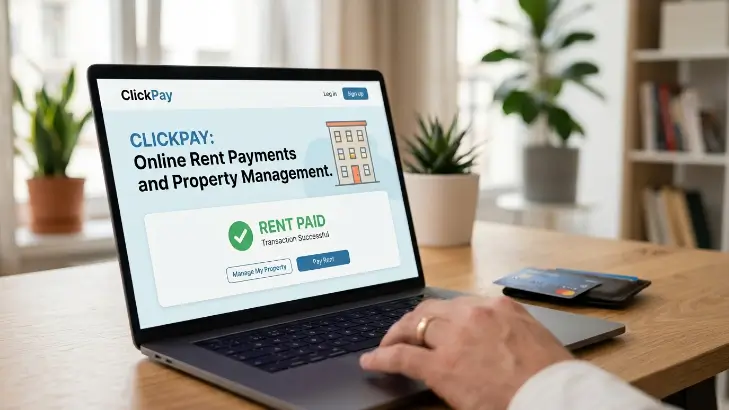
ClickPay is an online payment platform designed primarily for the real estate and property management industry. It allows tenants, homeowners, and residents to make various payments electronically while helping property managers receive and organize those payments efficiently.
Instead of relying on traditional payment methods, ClickPay offers a digital solution that simplifies the payment process. Many residential communities, apartment complexes, condominiums, and homeowners associations use the platform to collect monthly fees and other property-related payments.
The platform is designed to save time for both residents and property management teams while reducing paperwork and manual processing.
How ClickPay Works
Using ClickPay is straightforward. After creating an account or receiving access from a participating property management company, residents can log in to their online dashboard.
From there, users can view their payment balance, choose a payment method, submit payments, and review previous transactions. The platform records payment history, making it easier to track monthly expenses.
Property managers receive payment notifications, helping them process transactions faster than traditional payment methods.
Key Features of ClickPay
One reason ClickPay has become popular is its combination of convenience and useful account management tools.
Residents can make one-time payments or schedule automatic monthly payments. This flexibility helps reduce the chance of forgetting important payment deadlines.
The platform also provides access to payment history, allowing users to review previous transactions whenever needed. This feature is particularly useful during budgeting or when confirming completed payments.
Many users appreciate receiving payment confirmations, which provide additional peace of mind after every successful transaction.
Payment Options Available
ClickPay supports several payment methods depending on the property’s settings.
Many residents choose to pay directly from their bank account because it is simple and convenient. Others prefer using debit or credit cards for added flexibility.
Some properties may also support recurring automatic payments, ensuring rent or association fees are paid on time every month without requiring manual action.
Before making a payment, users should review any applicable processing fees associated with their selected payment method.
Benefits for Residents
One of the biggest advantages of ClickPay is convenience. Payments can usually be completed from anywhere with an internet connection, eliminating the need to deliver paper checks or visit a management office.
Another benefit is speed. Online payments are generally processed faster than traditional payment methods, helping reduce delays and improve payment tracking.
The payment history section also allows residents to view previous transactions whenever needed. This makes record keeping much easier than storing paper receipts.
Automatic payment scheduling is another useful feature. Once enabled, recurring payments help ensure bills are paid before their due dates, reducing the risk of late fees.
Benefits for Property Managers
Property managers also benefit from using ClickPay.
Online payment processing reduces the amount of manual work involved in collecting and recording payments. Instead of handling numerous paper checks, managers receive digital payment records that are easier to organize.
Faster payment processing improves cash flow and simplifies financial reporting. Automated systems also reduce the possibility of human error when recording transactions.
Digital payment records make accounting more efficient and provide a clear history for future reference.
Security Features
Security is an important consideration whenever money is transferred online.
ClickPay uses modern security practices to help protect user information during payment processing. Secure connections and encrypted data transmission help reduce the risk of unauthorized access.
Users should also protect their accounts by choosing strong passwords and avoiding login attempts from unsecured public networks whenever possible.
Keeping account information private and monitoring payment activity regularly can further improve account security.
Setting Up a ClickPay Account
Creating an account is generally a simple process.
Residents usually receive registration instructions from their property management company or homeowners association. After entering the required information, users create login credentials and verify their account.
Once registration is complete, payment methods can be added, allowing future payments to be completed quickly through the online dashboard.
Before making the first payment, it’s helpful to review account details carefully to ensure everything is correct.
Managing Payments Efficiently
Planning ahead makes online payments even easier.
Many residents schedule recurring payments so they never miss a due date. Others prefer making manual payments each month after reviewing their balance.
Checking payment confirmations after every transaction is also a good habit. These confirmations provide reassurance that the payment has been submitted successfully.
Reviewing account history periodically helps identify any unusual activity and keeps financial records organized throughout the year.
Common Issues and Simple Solutions
Most ClickPay transactions work smoothly, but occasional issues can occur.
If a payment does not appear immediately, waiting a short period for processing often resolves the issue. Refreshing the account dashboard or logging in again may also update recent activity.
Users who experience login difficulties should verify their username and password before requesting a password reset.
If payment information changes, updating bank or card details promptly helps prevent failed transactions.
For issues related to balances or account records, contacting the property management office is often the quickest solution.
Tips for Using ClickPay Safely
Good online habits can make digital payments even more secure.
Always log in using the official ClickPay website or mobile application if available. Avoid entering payment information through unknown links received by email or text messages.
Using unique passwords, enabling additional security features when available, and checking account activity regularly are simple steps that help protect personal information.
Keeping your web browser updated also improves online security.
Frequently Asked Questions
Is ClickPay free to use?
Account registration is generally free, but certain payment methods may include processing fees depending on your property’s policies.
Can I schedule automatic payments?
Yes. Many participating properties allow residents to set up recurring automatic payments.
Can I view previous payments?
Yes. ClickPay keeps a payment history that allows users to review earlier transactions.
Is ClickPay secure?
ClickPay uses modern security measures to help protect payment information and user accounts during online transactions.
Can I pay from my phone?
Yes. The platform can usually be accessed through a mobile browser, making payments convenient while away from home.
Final Thoughts
ClickPay has become a trusted online payment solution for many residential communities, apartment buildings, and homeowners associations. By simplifying rent and property-related payments, the platform saves time for residents while helping property managers organize financial transactions more efficiently.
Its easy-to-use interface, flexible payment options, automatic payment scheduling, and payment history features make it a practical solution for modern property management. Instead of relying on paper checks and manual processing, users can complete payments securely from almost anywhere.
As digital payment technology continues to grow, platforms like ClickPay are making everyday financial tasks faster, more convenient, and easier to manage. Whether you’re paying monthly rent or managing community fees, ClickPay provides a simple way to stay organized and make timely payments with confidence.
 Hamza
Hamza