
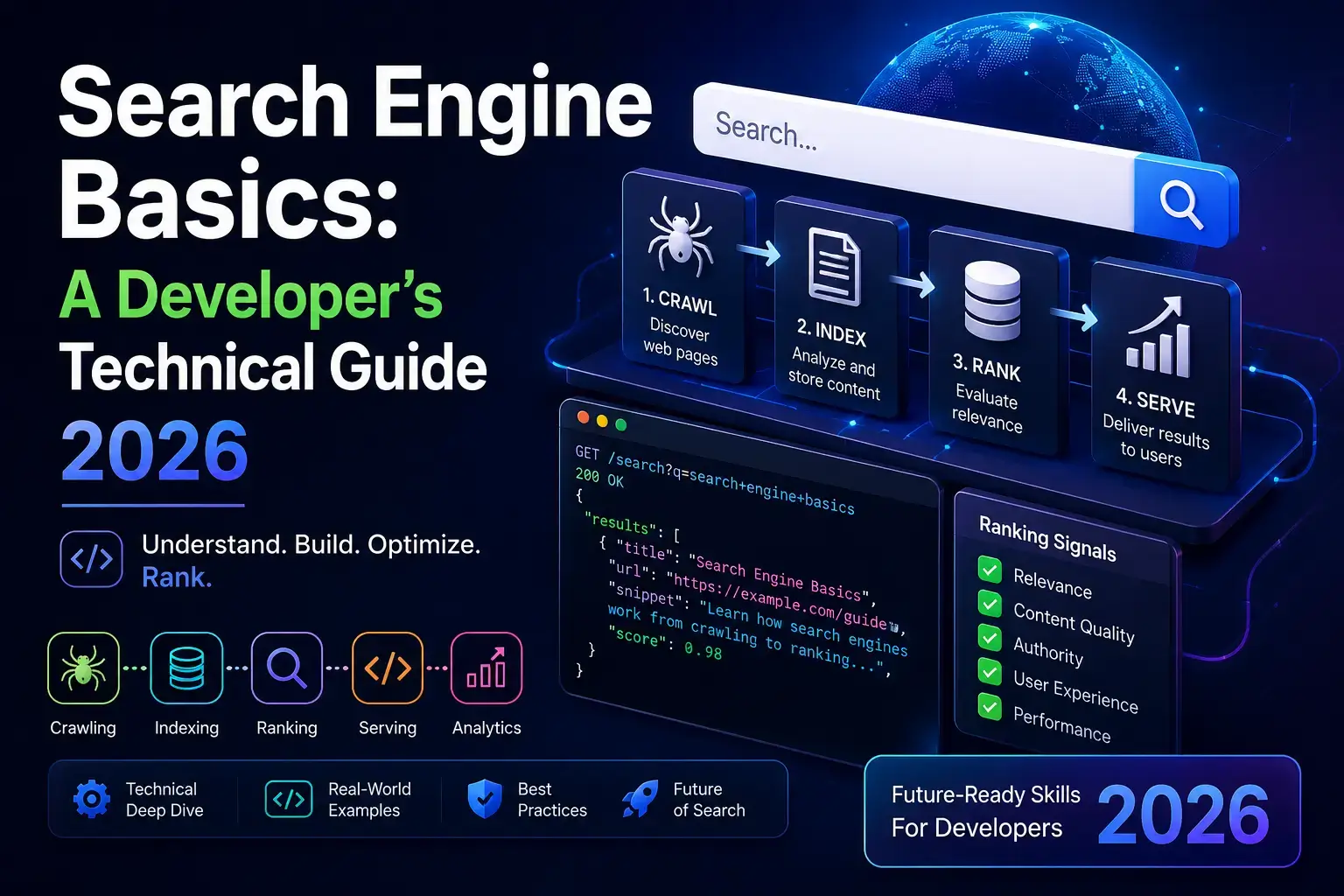
Search engine basics are not complicated — but most guides explain them for marketers, not developers. The technical reality is this: a search engine makes HTTP requests, parses HTML, executes JavaScript in a sandboxed browser, and runs ranking algorithms on the output.
If you are building your first site, understanding these mechanics at a systems level is what lets you achieve search visibility right from day one, rather than retrofitting it six months later.
Search Engine Basics: The Three-Stage Model
The search engine basics every developer needs to internalize start here: every search engine — Google, Bing, DuckDuckGo — runs on the same three-stage pipeline.
- Crawling — A bot fetches URLs and collects page content via HTTP GET requests
- Indexing — The fetched content is processed, rendered if JavaScript is involved, and stored in a searchable database
- Ranking — When a user searches, the index is queried, and results are sorted by relevance and quality signals
These stages are sequential but not synchronous. A page can be crawled and never indexed. It can be indexed and never rank. Each stage has its own failure modes — and fixing a problem in one stage does not automatically resolve a problem in another.
How Search Engine Crawlers Work
Crawling is the discovery and fetching stage of the search engine basics pipeline. Understanding it at the HTTP level protects you from a class of mistakes that are invisible until they cost you rankings.
What Googlebot Actually Is
Googlebot is a distributed web crawler operated by Google. It identifies itself with the user-agent string Mozilla/5.0 (compatible; Googlebot/2.1; +http://www.google.com/bot.html). It makes standard HTTP GET requests — not POST, not HEAD — and expects your server to respond with a 200 status and valid HTML or a redirect.
There are multiple Googlebot variants. Googlebot crawls for web search. Googlebot-Image crawls for image search. AdsBot-Google checks landing page quality. Each respects your robots.txt rules independently — a rule blocking Googlebot does not block AdsBot-Google unless you specify it.
How It Discovers URLs
Googlebot discovers URLs through three primary channels:
- XML sitemaps — submitted via Google Search Console or referenced in robots.txt
- Internal links — anchor tags in already-crawled pages pointing to new pages
- External links — other sites linking to your pages
For a new site, sitemaps are the fastest path to discovery. Internal linking is how Googlebot navigates your site structure — a page with no internal links pointing to it is effectively invisible to the crawler, regardless of whether it exists.
HTTP Behavior and What It Expects From Your Server
Googlebot interprets HTTP status codes the same way a browser does, with specific search engine implications:
| Status Code | What Googlebot Does |
|---|---|
| 200 | Fetches and processes the page |
| 301 | Follows redirect, transfers ranking signals to destination |
| 302 | Follows redirect, does NOT transfer ranking signals (temporary) |
| 404 | Marks URL as not found, removes from index over time |
| 410 | Marks URL as permanently gone, removes faster than 404 |
| 500 | Back off and retry later, may reduce crawl frequency |
| 503 | Interprets as temporary unavailability, retries |
Two implications developers miss: a 302 redirect where you intended a 301 means your old page’s ranking signals do not pass to the new URL. A server returning intermittent 500 errors causes Googlebot to reduce crawl frequency — and that reduction compounds over time.
JavaScript, Rendering, and the Indexing Gap
This section matters most if you are building with React, Vue, Angular, or any JavaScript-heavy framework — and it is the part of search engine basics that almost no guide for developers covers correctly.
Based on auditing 50+ developer-built sites, client-side rendered SPAs are the single most common source of invisible indexing failures — Googlebot crawls the shell, rendering is queued separately with a delay of days to weeks, and developers never see the problem because the site looks fine in a browser.
Googlebot crawls in two passes. The first pass fetches the raw HTML your server returns. The second pass — rendering — executes JavaScript in a headless Chromium instance and processes the fully rendered DOM. These two passes do not happen at the same time. Google’s own documentation, maintained by engineer Martin Splitt and confirmed repeatedly by John Mueller, states that rendering is queued separately and can lag behind the initial crawl by days or weeks, depending on crawl budget and server performance.
The practical consequence: if your React SPA only generates meaningful content — product descriptions, article text, navigation links — after JavaScript executes, Google may crawl your page and index an empty shell. The rendered version gets processed later, sometimes much later. During that window, the page is invisible to search.
The fix is not to abandon JavaScript frameworks. Use Server-Side Rendering (SSR) or Static Site Generation (SSG) for pages you want indexed. Next.js, Nuxt, and SvelteKit all support this. For pages where SSR is not feasible, dynamic rendering works as a fallback — serve a pre-rendered version to Googlebot specifically.
To check what Google actually sees on any page, use the URL Inspection tool in Google Search Console → “View Crawled Page” → “Screenshot.” It shows Googlebot’s rendered output, not your browser’s.
Search Engine Indexing: How It Works After Crawling
One of the most misunderstood search engine basics: crawling and indexing are not the same thing. After Googlebot fetches and renders a page, Google’s indexing systems analyze the content and decide whether to add it to the search index. Not everything crawled gets indexed.
Google applies quality assessments at this stage. Pages with thin content, significant duplication, or poor signals relative to competing pages on the same topic may be crawled repeatedly and never indexed. This is a quality filter, not a penalty.
The primary signals Google evaluates during indexing:
- Content uniqueness — is this page substantially different from other indexed pages on the same topic?
- Page quality — does the page demonstrate expertise, provide value, and load correctly?
- Canonicalization — does a
<link rel="canonical">tag specify the authoritative URL version? - Indexability directives — is there a
<meta name="robots" content="noindex">tag orX-Robots-Tag: noindexHTTP header? If so, the page is excluded regardless of quality.
For developers: set canonical tags on every page, including paginated pages and URL parameter variants. Without them, Google chooses the canonical itself — and it does not always choose the version you want.
What Search Engines Use to Rank Pages
Ranking is the third stage of the search engine basics model. When a user submits a query, Google scores indexed pages against hundreds of signals and returns results ordered by relevance and quality. The exact algorithm is not public, but the primary signal categories are documented.
- Relevance signals — Does the page match the query? Google evaluates keyword presence, semantic meaning, and topic coverage. Exact keyword match matters less than topical depth and entity coverage. A page that thoroughly covers a subject outperforms one that simply repeats a keyword.
- Authority signals — Do other credible pages link to this one? Backlinks remain a primary ranking signal, weighted by the quality and relevance of the linking site. One link from a high-authority relevant site outweighs dozens from low-quality directories.
- Page experience signals — Does the page load fast, work on mobile, and avoid intrusive interstitials? Google’s Core Web Vitals (LCP, INP, CLS) are documented ranking factors. For developers, these are the signals you control most directly through build decisions.
- Content quality signals — Does the page demonstrate first-hand knowledge, accuracy, and depth? Google’s Quality Rater Guidelines — a public document of 170+ pages — detail what human quality raters look for. Content written by someone with real experience consistently outperforms content assembled from other sources.
Indexing Timelines: What Developers Should Expect
A practical part of search engine basics that most guides skip: how long does this actually take? Here are realistic expectations based on site type.
- Brand new domain: Two to four weeks before Google crawls the site at all, assuming a sitemap has been submitted via Search Console and at least one external link points to the domain. Without an external link, discovery can take months.
- New pages on an established site: A few days to two weeks for crawling. Indexing follows within days for high-quality pages on well-crawled sites.
- JavaScript-rendered content: Add the rendering queue delay on top of crawl time — potentially an additional one to four weeks before the rendered version is processed and indexed.
Three things speed up indexing on a new site: submitting an XML sitemap, using the URL Inspection tool in Search Console to request indexing for key pages, and acquiring at least one external link from an already-indexed site.
The Developer Mistakes That Kill Search Visibility
These are not theoretical edge cases. They appear consistently across real sites built by competent developers who simply were not thinking about how search engine basics apply to their code decisions.
- Blocking crawlers in development and forgetting to unblock on launch: WordPress has a “Discourage search engines from indexing this site” checkbox in Settings → Reading. It sets
X-Robots-Tag: noindexon every page. Developers enable it during staging, forget to disable it at launch, and wonder why the site never appears in search results. The same mistake happens withDisallow: /in a staging robots.txt that gets copied to production. - Using
<a>tags withouthrefattributes for navigation: JavaScript-driven navigation that attaches click handlers to anchor tags without a realhrefis invisible to search engine crawlers. Googlebot cannot follow a link that it cannot see in the HTML. Use realhrefattributes, even in JavaScript-heavy sites. - Serving different content to Googlebot than to users: Showing Googlebot a fully-rendered page while users see a loading spinner is called cloaking — it violates Google’s spam policies and results in manual penalties. Dynamic rendering is acceptable. Deception is not.
- Setting all pages canonical to the homepage. A misconfigured canonical tag generator pointing every page’s canonical to
/tells Google all your pages are duplicates of the homepage. Google indexes the homepage and ignores everything else.
Frequently Asked Questions
What are search engine basics every developer should know?
The core search engine basics for developers are: how Googlebot crawls via HTTP GET requests, the two-pass rendering model for JavaScript content, the difference between crawling and indexing, and how HTTP status codes (301 vs 302, 404 vs 410) affect ranking signals. These are build decisions, not afterthoughts.
How does Google find my website if I don’t submit it?
Google discovers new sites primarily through external links. When an already-indexed page links to your domain, Googlebot follows that link. Submitting an XML sitemap via Google Search Console accelerates discovery significantly — it should be one of the first things you do after launch.
Does Google index every page on my site?
No. Google selects which pages to index based on quality, uniqueness, and crawl budget. Pages with thin content, significant duplication, or poor internal linking are crawled less frequently and indexed less reliably. Submitting a URL is not a guarantee of indexing.
Should I use SSR or SSG for SEO?
Both work for search engine indexing. Static Site Generation (SSG) produces pre-rendered HTML that Googlebot reads immediately without waiting for JavaScript execution — the most reliable option. SSR generates HTML server-side at request time, which also works well. Pure client-side rendering with no SSR fallback is the option to avoid for pages you need indexed.
How do I check if Google has indexed a specific page?
Use the URL Inspection tool in Google Search Console — it shows the last crawl date, a rendered screenshot of the page Googlebot captured, and the current indexing status. For a quick check, search site:yourdomain.com/specific-page on Google. If the page appears, it is indexed.
Conclusion
Search engine basics come down to three stages: crawling, indexing, and ranking — each with its own rules and failure points. Googlebot makes HTTP requests, follows specific redirect rules, renders JavaScript with a delay, and applies quality filters before deciding what gets indexed. Understanding these mechanics is not optional for a developer launching a site.
One actionable takeaway: Before launch, verify three things in Google Search Console: your robots.txt is not blocking crawlers, your sitemap is submitted, and the URL Inspection tool confirms your key pages as indexable. Those three checks prevent the majority of search visibility failures on day one.
 IQnewswire
 Kaif
Kaif